
AI kissing generators turn one couple photo or two separate portraits into short kiss videos using image-to-video models and prepared effects. The best option depends less on a single “quality” score than on the workflow you need: some tools emphasize fast presets, while others add prompts, multiple kiss styles, longer clips, audio, editing tools or API access.
Night Analytics reviewed current product pages, feature documentation, access models, pricing and privacy information across this category. This guide focuses on documented capabilities rather than claiming standardized hands-on output testing. Use photos only with the permission of the adults shown, especially when a generated clip could be mistaken for a real recording.
Top AI Kissing Generators Ranked by Popularity

On this page
Quick Picks
The list above is the traffic-based ranking. These Quick Picks highlight different workflows and use cases rather than creating a second overall order.
Vidu
Best for: a dedicated kiss workflow that accepts either one photo of two people or two separate portraits.
Note: Vidu advertises recurring monthly free credits for its kissing workflow.
Media.io
Best for: users who want a browser-based one- or two-photo workflow with minimal setup.
Note: Media.io currently promotes free generation without sign-up on its AI Kiss page.
Overchat
Best for: presets plus optional prompts, aspect-ratio choices, multiple durations and private-output controls.
Note: its first generation is promoted as free, while expanded video access uses account or credit flows.
AIReel
Best for: users who prefer a large library of prepared kiss scenes to writing every prompt from scratch.
Note: its effects include multiple kiss types and themed scenes, with trial credits advertised.
Filmora
Best for: users who want the kissing effect inside a broader video-editing environment.
Note: Filmora is a full editor with AI effects rather than a single-purpose web generator.
AI Kiss
Best for: a simple browser workflow with no account and a one-time payment model.
Note: AI Kiss currently lists $2.99 for one 5-second video and does not advertise a free tier.
AI Kissing Generator Comparison
This table highlights representative options with distinct workflows instead of repeating the full dynamic ranking. “Free access” can mean free credits, a trial or a limited free workflow rather than unlimited generation.
| Service | Best for | Photo input | Controls | Access |
|---|---|---|---|---|
| SeaArt | Simple two-photo kissing effect inside a larger AI suite | 2 separate portraits | Dedicated effect | Free generation promoted |
| Dreamina | Prompt-led kissing videos and broader AI creation | Couple photo or separate photos | Prompt, model, ratio, resolution | Free credits promoted |
| PixVerse | Template-led effects in a broader AI-video workspace | Image-to-video / templates | Templates and broader video tools | Account / credit model |
| DeeVid | Straightforward one- or two-photo template | Couple photo or 2 portraits | Dedicated template | Account-based |
| Vidu | Dedicated all-round workflow | Couple photo or 2 portraits | Templates, prompts | Monthly free credits advertised |
| Media.io | Low-friction browser use | Couple photo or 2 selfies | Effect-based | Free no-sign-up workflow promoted |
| Overchat | Preset and format control | Couple photo or 2 portraits | Presets, prompt, ratio, duration | Free entry; credits for more |
| EaseMate | Model and prompt controls | Couple image; modes vary by model | Kiss type, model, prompt, ratio, duration, audio | Credit-based with free credits |
| AIReel | Large kiss-scene library | 1 or 2 photos depending on effect | Many presets | Trial credits |
| Veevid | Flexible documented input plus broader video tools | 1 couple photo or 2 portraits in documented ai-kissing mode | Scene, resolution, duration, audio options | Credit-based |
| Filmora | Generation plus full editing | 1 or 2 photos | Templates, prompts, editor | Trial + paid plans |
| MagicShot | Two-photo themed presets | 2 separate photos | Styles and formats | Paid access |
| AI Kiss | No account or subscription | Couple photo or 2 portraits | Styles, ratio, 5/10/15 s | Pay per video |
| AI Ease | Simple two-image generation | 2 character images | Dedicated effect | Free trial |
| GoEnhance | Privacy statements and API access | 1 or 2 photos | Effects, model choice, API | Trial + paid |
| WaveSpeedAI | Developers and API workflows | Image-to-video effect | REST inference API | Usage-based |
Which AI Kissing Generators Stand Out?
The services below show the main workflow differences among popular options, starting with leading traffic performers and then moving to tools with distinctive controls, access models or editing features.
SeaArt — Simple Two-Photo Kissing Inside a Broader AI Suite
SeaArt’s dedicated AI Kissing Video Generator uses a simple two-photo workflow: upload two front-facing portraits, one person per image, then generate a kissing clip for download.
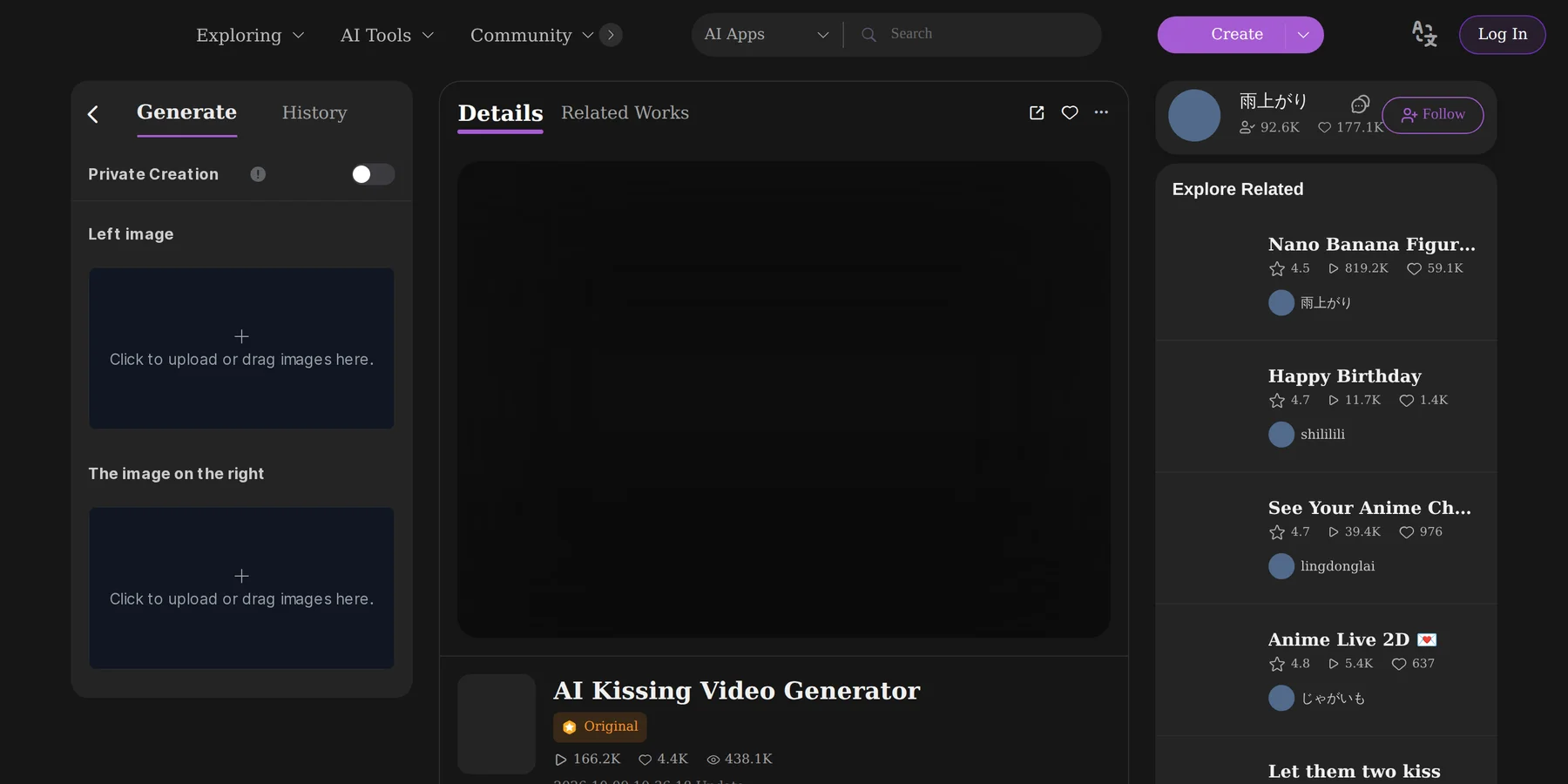
It is particularly straightforward when the two subjects start in separate portraits. SeaArt is also part of a much broader AI-creation platform, so its ranking signal reflects the popularity of the overall service rather than usage of the kissing effect itself. The product page currently promotes free generation.
Dreamina — Strong for Prompt-Led Control and Broader Creation
Dreamina's kissing-video pages document image-to-video workflows for couple photos and separate photos, with custom prompts used to describe the scene. The workflow also exposes model and output settings such as aspect ratio and resolution, making it more configurable than a fixed one-click effect.
Dreamina sits inside the broader CapCut AI creation environment, which is useful when a kissing clip is only one part of a larger creative workflow. Its appeal here is the extra configuration rather than the simplicity of a single preset.
PixVerse — Template-First Kissing Inside a Broad AI-Video Platform
PixVerse's Creative Studio describes AI Kiss as one of its popular templates, alongside other reusable effects, and the platform also supports broader image-to-video creation. It fits users who prefer choosing a prepared effect inside a larger AI-video workspace rather than using a single-purpose kissing site.
The kissing experience lives inside PixVerse's wider template system rather than on a standalone one-purpose page, so users can move between the AI Kiss template and other video effects without changing platforms.
DeeVid — Straightforward One- or Two-Photo Kissing Template
DeeVid's dedicated AI Kissing template accepts either one photo containing two people or two separate single-person photos. The workflow is direct: choose the kissing template, upload the image or images, create the clip, then download or continue working with it in DeeVid.
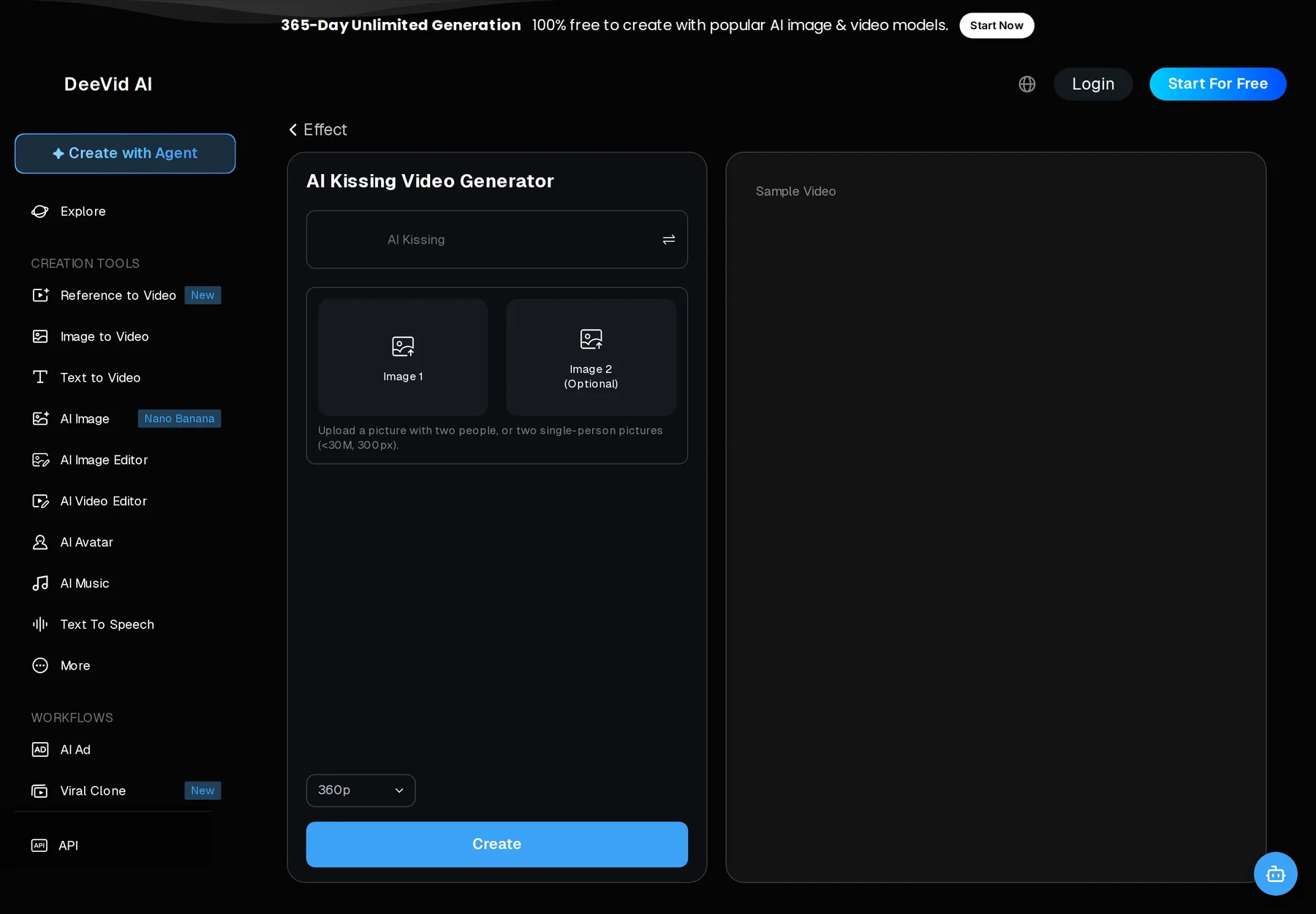
The flexible input is useful for people who want a dedicated template without manually combining portraits first. DeeVid also includes broader text-, image- and video-generation tools for users who want to continue beyond the kissing effect.
Vidu — Best All-Round Dedicated Workflow
Vidu has one of the clearest dedicated kissing workflows in the category. Its instructions allow either a photo that already contains two people or two individual photos with matching aspect ratios, so it covers both common starting points without forcing users to build a collage first.
The product also documents MP4 output, mobile-browser use and recurring free credits. Vidu sits inside a broader AI-video platform, giving users room to move from a dedicated kiss effect into prompt-led or reference-video workflows.

Media.io — Best for a Fast, Low-Friction Start
Media.io's AI Kiss page explicitly supports one couple photo or two separate selfies and promotes a free workflow without sign-up or login. It also advertises HD, watermark-free output.
The main appeal is a low-friction start: users can understand the photo requirements and access model before committing to an account. Media.io is also part of a broader media-tool suite, so the generated clip can move into other image and video workflows.
Overchat — Best for Presets, Prompts and Privacy Controls
Overchat combines a one- or two-photo upload flow with more controls than many dedicated generators. Its interface offers prepared kiss styles, an optional prompt, 9:16, 1:1 and 16:9 aspect ratios, and several video durations.
It also surfaces a private-output option. The company says files marked private do not appear in public galleries, are not used to train its models and can be deleted. These are Overchat's own policy statements, not an independent security audit.

EaseMate — Best for Model and Prompt Controls
EaseMate approaches the category more like a configurable AI-video workspace. Its kissing generator exposes kiss types, model choices, optional prompts, aspect ratios, duration and audio-related settings. The standard kissing workflow is built around a couple image, while other model modes expose additional frame or image controls.
The extra controls also make the workflow more complex than a one-button effect, so EaseMate fits users who want generation settings more than users who only want the fastest preset.
AIReel — Best for Ready-Made Kiss Scenes
AIReel differentiates itself through a large prepared scene library. Its kissing area includes different kiss types and themed settings, with some effects working from one photo and others designed for two separate photos.
It suits users who prefer selecting a prepared scene over writing detailed prompts. Trial credits are currently advertised.
Veevid — Best for Flexible Documented Input and Broader Video Controls
Veevid's developer documentation for its dedicated ai-kissing mode supports either one photo containing both people or two separate photos, with resolution, duration, aspect-ratio and optional audio controls. The public web interface may expose a smaller or changing subset of those options.
Veevid also operates a wider AI-video platform with multiple generation modes, which can be useful for people who expect to create other generated videos after the kissing clip.
Filmora — Best When You Also Need a Full Video Editor
Filmora's AI Kiss feature sits inside its Image to Video toolkit rather than a standalone kiss website. Documentation supports one- and two-photo workflows, while Filmora's larger editor adds titles, music, transitions, overlays, trimming and other finishing tools.
It is less lightweight than a browser-only effect, but the integrated editor is useful when the generated clip is one part of a larger project.
AI Kiss — Best for No Account and One-Time Payment
AI Kiss accepts either two separate photos or one image containing both people, runs in the browser without an email account and offers 5-, 10- or 15-second MP4 clips with sound. Its pricing page lists $2.99 for a 5-second clip, with larger credit packs reducing the per-video price.

The service says credits do not expire and failed generations return their credits automatically. Its public pages also make an important privacy distinction: the original photos are processed in the browser into a composed generation frame, while the finished video can remain available in the browser-linked “My videos” library until it is removed. This is clearer than simply saying every uploaded asset disappears immediately.
One Couple Photo vs. Two Separate Photos
A one-photo workflow assumes both subjects already appear in the same frame. It is usually the simplest input because the model starts with established scale, lighting and body positioning. Vidu, Media.io, Overchat, DeeVid and AI Kiss all support this route.
A two-photo workflow is more flexible because each person can come from a separate portrait. SeaArt, Dreamina, DeeVid, Vidu, Media.io, Overchat, AI Ease, MagicShot and AI Kiss explicitly document separate-photo workflows. Veevid's ai-kissing API documentation also supports two separate photos. Clear, similarly framed portraits with unobstructed faces give the model a more compatible starting point.
Are There Free AI Kissing Generators?
Yes, but “free” means different things across this market. SeaArt promotes free generation on its dedicated kissing page. Dreamina advertises free credits for its AI creation workflows. Vidu advertises recurring monthly free credits, Media.io promotes free generation without sign-up, and AI Ease and AIReel advertise trial access or credits. Other platforms may let users open the generator for free but charge credits when the final video is rendered or downloaded.
If avoiding a subscription matters more than paying nothing, AI Kiss takes a different approach: there is no free tier on its pricing page, but users can buy a single short video without creating an account or starting a recurring plan. Credits and promotional access can change, so check the price shown at the generation step before committing to a workflow.
Kiss Styles, Prompts and Video Controls
Preset-first tools trade customization for speed. SeaArt uses a dedicated two-photo effect, PixVerse exposes AI Kiss inside its template system, DeeVid has a dedicated kissing template, AI Ease centers on a two-image effect, MagicShot uses themed styles, and AIReel offers a larger collection of prepared scenes. These work well when the desired result is already close to a preset.
Dreamina, Overchat and EaseMate add more prompt or model control. Filmora and FlexClip are strongest when the generated clip needs conventional editing afterward. Veevid's documented ai-kissing mode adds resolution, duration, aspect ratio and optional audio controls for users who need a more configurable workflow.
Privacy and Consent Matter More Than the Effect
AI kissing tools work with faces and can generate scenes that look like recordings of events that never happened. Use photos of yourself or adults who agreed to this use, and avoid misleading romantic content involving minors, non-consenting people or public figures. A tool accepting an image does not make every use appropriate or lawful.
Privacy policies also differ. Overchat says private files can be deleted and are not used for model training. GoEnhance states that uploaded photos and generated videos are not shared, stored or used for training and can be deleted. AI Kiss says original photos are processed into the generation input in the browser, while finished clips may remain available in its “My videos” library. These are company policy statements, not independent security audits.
Options for APIs and Full Video Editing
Developers have different needs from casual users. WaveSpeedAI offers kissing effects through a REST inference API. Remaker offers a dedicated AI kissing template and documents an ai-kissing API template, GoEnhance promotes API integration for its kissing workflow, and Veevid documents a dedicated ai-kissing mode that can take one couple image or two individual portraits.
For conventional editing, Filmora and FlexClip are more natural choices. Both connect generation to broader editing environments, so users can add titles, music, transitions and other elements without moving the clip into a separate editor.
How to Choose an AI Kissing Generator
Start with the input you actually have. If both people already appear in one photo, most dedicated image-to-video kissing effects can work with that format. If you only have separate portraits, choose a tool that explicitly supports two-image composition instead of assuming a generic image-to-video model will combine the subjects correctly.
Next, decide how much control you need. Preset-first tools are faster; prompt- and model-driven platforms are more flexible. Check whether clip length and aspect ratio fit the destination, whether audio is included or optional, and whether you need a separate editor afterward. For repeated use, compare credits and subscription terms; for a one-off clip, a free allowance or pay-per-video model can be simpler.
Finally, check privacy and consent rules before uploading. A clear deletion policy, private-output option and understandable payment model are more useful trust signals than marketing claims about “perfect realism.” This guide does not rank visual output quality, identity preservation or first-try success because Night Analytics did not run one standardized generation test across every service.
How We Ranked These AI Kissing Generators
Night Analytics first verified that each listed service offers a real, accessible AI kissing tool, effect, workflow, template or documented product surface that matches this page. Eligible services are then ordered by comparable Similarweb monthly traffic to the service or platform as a whole.
Traffic is a directional signal of overall service popularity and market strength; it does not measure kissing-feature usage or output quality. Editorial notes cover workflow fit, photo input, controls, access, privacy, APIs and editing. We did not run one standardized generation test across every service, and affiliate relationships do not determine inclusion or rank.
Other AI Kissing Tools Worth Knowing
The main ranking is not an exhaustive list of every kissing effect online. HitPaw Online, Wondershare Virbo and TopMediai also offer kissing-specific or related effects, while Pollo AI exposes kissing inside its broader effects library.
These alternatives may be useful for people already using those creative suites. They are included here for additional choice rather than added to the main ranking simply to increase the count.
FAQ
Can AI make two separate photos kiss?
Yes. SeaArt, Dreamina, DeeVid, Vidu, Media.io, Overchat, AI Ease, MagicShot and AI Kiss explicitly document separate-photo workflows, while Veevid's ai-kissing developer documentation also supports two individual photos. Use clear images with similar face size and framing.
Are there free AI kissing generators?
Yes, but free access is usually limited by credits, trials or promotional allowances. SeaArt promotes free generation, Dreamina advertises free credits, Vidu advertises monthly free credits, and Media.io promotes a free no-sign-up workflow. Check the generation cost because these access models change frequently.
Are uploaded photos private?
Privacy rules vary by service. Some tools publish deletion or no-training statements, while others provide less detail on the generator page. Read the privacy policy before uploading personal images and use private-output controls when available.
Can I use AI kissing videos commercially?
Some platforms allow commercial use on particular plans, but licensing differs by service and does not override rights in the source photos. Check the terms for both generated output and any images, characters or likenesses you upload.
Sources
This article uses official product pages, help and pricing documentation, privacy information and Similarweb monthly traffic estimates. Product access, credits, prices and policies can change.
- Ranking data: Similarweb estimated monthly visits collected for this ranking.
- SeaArt — official AI Kissing Video Generator product page and workflow instructions.
- Dreamina — official AI Kissing Video Generator / AI kissing workflow pages.
- PixVerse — official Creative Studio and AI video documentation, including AI Kiss template coverage.
- DeeVid — official AI Kissing template and workflow documentation.
- Vidu — AI Kissing Generator and product documentation.
- Media.io — AI Kiss Generator product page.
- Overchat — AI Kissing Generator interface and privacy controls.
- EaseMate — AI Kissing Video Generator product page.
- AIReel — AI Kiss effects library and comparison documentation.
- Veevid — AI Kissing Video Generator and developer documentation for
ai-kissing. - Filmora — AI Kiss / Image to Video documentation.
- AI Kiss — product, pricing and workflow/privacy documentation.
- GoEnhance — AI Kissing Video Generator and API information.
- WaveSpeedAI and Remaker — official effect/API documentation.
- Additional market checks: HitPaw Online, Wondershare Virbo, TopMediai and Pollo AI.