
Chaturbate model registration starts with a regular Chaturbate account, but broadcasting requires extra steps: broadcaster registration, an Independent Broadcaster Agreement, age and ID verification, payout setup, privacy checks, and first stream settings. This guide explains the official signup path and the main details new models should review before going live.
Quick Answer
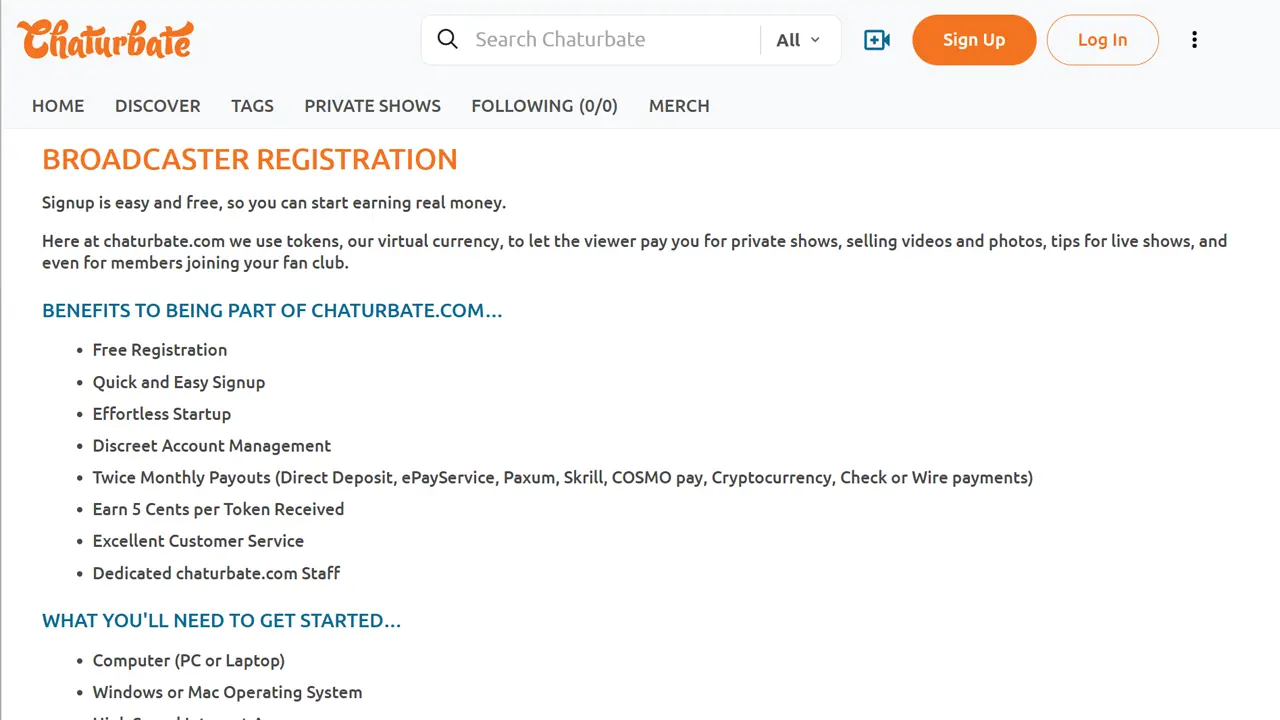
Start with the official Chaturbate registration page: Chaturbate
- Create a free Chaturbate account with a username, password, birthday, and profile category.
- After login, open Broadcaster Registration or the “Broadcast Yourself” area.
- Complete the Independent Broadcaster Agreement and age / ID verification.
- Review your broadcaster settings, room privacy, region blocking, camera, microphone, and first stream setup.
- Convert tokens and set up a payout method before relying on Chaturbate for income.
If you are still comparing webcam platforms, start with our main ranking: 12 Best Webcam Sites for Models: Ranked by Viewer Traffic
This page focuses only on Chaturbate model registration and first setup. It does not cover viewer registration or rank Chaturbate against other webcam sites.
On this page
Before You Sign Up
Before creating a broadcaster account, prepare the basics. Chaturbate is an adult platform, so you must be at least 18 years old or the age of majority in your country or region. You should also be ready to submit identity information if you want to broadcast and receive tokens.
- a secure username or stage name that is not connected to your personal accounts;
- a strong password and, ideally, a separate creator email address;
- a valid government-issued photo ID that is current, readable, and not expired;
- good lighting for ID and selfie verification steps;
- a private streaming space where documents, labels, screens, photos, windows, and location clues are not visible;
- a camera, microphone, and stable internet connection;
- a payout method that works in your country;
- time to read the Terms, Privacy Policy, broadcaster rules, and payout conditions before uploading documents.
The basic signup page may show email as optional, but using a separate creator email is still a practical safety and account-recovery step. Chaturbate’s Terms say support can be limited if no email is connected to the account because the platform may not be able to verify account ownership.
Do not rush the identity step. Broadcaster registration involves submitting personal information to an adult platform, including ID documents and face verification materials. Check the official rules directly if anything in the form looks different from this guide.
Step 1: Create a Chaturbate Account
Chaturbate model registration begins with a free Chaturbate account. The public signup form asks for a username, password, email address, birthday, and profile category. It also asks you to confirm the Terms and Conditions and Privacy Policy before creating the account.

Your username is part of your public identity on the platform. Choose a name you can keep using, but avoid anything tied to your real name, personal social profiles, workplace, school, or offline identity.
The signup form is only the first step. Creating an account does not automatically mean you are approved to broadcast. To appear on cam as a model / broadcaster, you need to complete broadcaster registration and age verification after login.
Step 2: Open Broadcaster Registration
After creating your account and logging in, Chaturbate directs new creators to the broadcaster flow through Broadcaster Registration or the “Broadcast Yourself” area. Chaturbate often uses the term “broadcaster” for the creator role, even when users search for “model registration.”
The broadcaster step includes the Independent Broadcaster Agreement. Read it before accepting, because it defines the creator-side relationship with the platform, account responsibilities, age-verification rules, payout requirements, and content restrictions.
Keep your legal details consistent. Your legal name, age-verification information, Independent Broadcaster Agreement, and payout setup may need to match. Do not use a username, nickname, or account number in places where legal payee information is required.
Step 3: Complete Age and ID Verification
Chaturbate requires age verification before you can broadcast. The official help pages say you need a clear photo or scan of a valid government-issued photo ID. The ID must show your legal name, date of birth, recognizable photo, and ID number, and the image must be readable.
Chaturbate says it does not accept expired IDs, temporary IDs, hand-written or drawn IDs, manipulated images, birth certificates, or military IDs. The official examples of accepted document types include government-issued plastic IDs, driver’s licenses, and passports.
The selfie step is important. Chaturbate’s current age-verification guidance says the selfie should show only the ID holder’s face in the frame and asks users not to hold the ID next to their face during that portion. Follow the instructions shown in the live verification flow if they differ from older screenshots or advice found elsewhere.
| Verification item | What it is used for | Beginner mistake to avoid |
|---|---|---|
| Government-issued photo ID | Confirms your legal identity and age. | Uploading an expired, blurry, cropped, temporary, or unreadable document. |
| Selfie / face check | Helps confirm that the person applying matches the ID holder. | Following outdated advice instead of the current on-screen instruction for the selfie step. |
| Independent Broadcaster Agreement | Confirms the broadcaster’s agreement with Chaturbate’s creator-side terms. | Accepting the agreement without reading account, content, and payout responsibilities. |
| Additional broadcaster verification | Confirms the age and agreement status of any other person appearing on cam or in uploaded content. | Allowing a partner, guest, or group member to appear before they are verified under the account. |
If you plan to stream as a couple or group, every person who appears on camera must be verified and must sign the Independent Broadcaster Agreement under the account. Chaturbate warns that failing to verify everyone who appears can affect the ability to receive tokens and may affect broadcasting privileges.
Chaturbate’s Privacy Policy also says Independent Broadcaster registration can require a color copy of current government-issued photo identification together with a brief live video and/or burst images. Treat this as sensitive personal data and review the Privacy Policy before submitting documents.
Approval and First Access
After the broadcaster agreement and age-verification materials are submitted, access to broadcasting features depends on successful verification. Chaturbate’s official help pages describe the next step as being ready to broadcast after the account is age-verified, but they do not promise a fixed approval time for every applicant.
Check the account area, Chaturbate messages, and your email if you provided one. If an ID photo is rejected, the issue may be document type, image quality, readability, cropped edges, glare, or details that do not match the account information.
Chaturbate says new creators receive a NEW tag that gives special visibility for 80 hours of streaming during the first 30 days. Do not treat this as an earnings guarantee. It is a visibility feature, and the practical value depends on how you use your first broadcasts, profile setup, schedule, room presentation, and audience response.
Step 4: Finish Your Broadcaster Settings
Do not go live immediately after verification without checking your room setup. Chaturbate’s broadcaster area includes settings for privacy, region blocking, private show settings, room access, and other broadcast tools. The exact options can change, so use this section as a first-pass checklist rather than a substitute for the dashboard.
Separate public identity from legal details
Use a stage name and public profile details that fit your creator persona, but keep real legal information only where Chaturbate requires it for verification and payout purposes.
Check your title, tags, and first impression
Before going live, review your room title, profile text, tags or categories where available, and basic presentation. Avoid making income promises or offering anything that violates platform rules.
Test camera, microphone, lighting, and background
Use the preview and technical checks before your first stream. Remove documents, shipping labels, family photos, windows, location clues, and private screens from the camera frame.
Review room privacy and moderation tools
Check region blocking, password settings, private show settings, fan club options, and tools for silencing or banning users before your first broadcast.
Chaturbate supports both an in-browser broadcaster and external encoder software such as OBS. The browser option is simpler for a first test stream, while OBS can give more control over overlays, layout, and stream quality if you are comfortable with extra setup.
Step 5: Set Up Tokens and Payouts
Chaturbate uses tokens. Broadcasters need active age verification to convert tokens, and token conversion is separate from receiving a payout. Converting tokens does not mean money is sent immediately unless you are using an eligible payout option.
Chaturbate describes two main payout paths: semi-monthly payouts and daily payouts. Semi-monthly pay periods run from the 1st to the 15th and from the 16th to the last day of the month. Daily Payout exists, but it is not automatically available to every new model from day one.
| Payout topic | What new models should know | What to check |
|---|---|---|
| Tokens | Chaturbate earnings are token-based, and tokens must be converted before normal payout processing. | Check Token Stats and confirm the current conversion options before the pay period closes. |
| Token conversion | The official help page lists a conversion example of 100 tokens to $5.00. | Confirm the current rate in your account, especially if the help page or dashboard changes. |
| Semi-monthly payouts | Payments are sent within the official processing window after each pay period ends. | Minimum payout, delivery time, weekends, U.S. holidays, and delays from the payment method. |
| Daily Payout | Chaturbate says U.S. broadcasters must have received two payouts and international broadcasters four payouts to qualify. | Do not assume Daily Payout is available immediately on a new account. |
| Payment methods | Available methods can include options such as Paxum, CosmoPayment, crypto, SEPA, checks, Canada EFT, and ACH, depending on eligibility and location. | Country support, minimum amount, fees, delivery time, bank compatibility, and tax requirements. |
| Legal payee details | Payee information may need to be verified and should match ID and agreement records. | Use legal names where required. Do not use stage names or usernames for payee fields. |
If someone else receives payment for the account, Chaturbate may need to confirm that the payee is over 18 and has electronically signed the required performer agreement. This is separate from simply having a Chaturbate account.
Chaturbate Payout Basics for New Models
For most new models, the safest way to think about Chaturbate payouts is simple: earn tokens, convert tokens, meet the minimum amount for your method, then wait for the relevant payout process. The exact timing depends on your payout method, country, pay period, and whether you qualify for Daily Payout.
Chaturbate says payments are sent within seven business days after each pay period ends. That sending window is not the same as the date funds appear in your bank, wallet, or payment account. Delivery time can still depend on the processor, bank, check delivery, crypto network, weekends, holidays, and account details.
Before relying on the platform for income, check your selected payout method in the official account area. Pay attention to minimums, fees, delivery time, supported countries, legal name requirements, tax forms, and what happens if you miss the minimum amount or convert tokens after the cutoff.
Do not choose a payout method only because it looks fast or private. Crypto, bank transfer, wallet, check, and third-party payment options have different risks, fees, timing, and tax implications. If you are unsure about tax reporting, ask a qualified local professional rather than relying on platform help pages alone.
Privacy, Region Blocking and Visibility Settings
Chaturbate separates legal verification details from your public profile, but that does not make broadcasting anonymous. Your public username, profile text, room, bio, uploaded content, chat, tip notes, wishlists, and anything visible on camera can expose information if you are not careful.
Use a separate creator email, a unique username, and a stage identity that is not tied to your personal social media, workplace, school, family, city, or real name. Before streaming, check your background for mail, labels, documents, photos, screens, landmarks, mirrors, windows, and anything that could reveal your location.
Chaturbate offers region blocking in the Settings & Privacy area. The official help page says you can block specific regions, states, or countries from seeing your room. It also warns that IP-based location detection is not 100% accurate and can be bypassed, so region blocking should not be treated as full anonymity.
Also consider recording risk. Chaturbate’s safety guidance says someone may record a broadcast without permission using software or even a phone pointed at the screen. Chaturbate’s Terms also say private shows are recorded by default and that broadcasters can disable that recording option in account settings. Review private-show recording settings before offering private shows.
Privacy tools can reduce exposure, but they cannot remove every risk from screenshots, recordings, mirrors, reuploads, search visibility, or people using VPNs and other location-changing tools.
Can You Register or Stream From a Phone?
A phone can be useful during registration because it may be easier to take clear ID and selfie images with good lighting. For broadcasting, Chaturbate officially supports mobile streaming through a mobile browser after login.
Chaturbate says mobile broadcasters can start from the Broadcast button in the left menu and that mobile broadcasting supports portrait and landscape modes. Some mobile features may be limited compared with desktop broadcasting, and orientation changes may require stopping and restarting the stream.
For a more stable setup, many new models may still prefer a desktop or laptop for the first serious stream. Chaturbate’s technical guidance recommends a strong connection and lists 5 Mbps upload speed for standard quality and 10 Mbps or more upload bandwidth for HD. A wired connection can be more stable than Wi-Fi when available.
Model Feedback on Registration and Getting Started
Public model feedback about Chaturbate onboarding is useful, but uneven. Much of the visible discussion is about long-term earnings, traffic, audience behavior, or general webcam work rather than the registration process itself. For this guide, we focused only on onboarding themes that help new applicants prepare.
These notes are directional. They are not a review score, a normal approval timeline, a guarantee of earnings, or proof that every model will have the same experience.
ID photos are a common avoidable friction point
Official guidance and public model discussions both point to document quality as a beginner issue. Use bright lighting, avoid blur and glare, keep the full ID inside the frame, and make sure the smallest text is readable.
Verification time can vary
Some public comments mention quick verification, while others involve rejected documents, re-verification, or support follow-up. Do not plan your first stream around a guaranteed approval time.
Prepare before using early visibility
Because Chaturbate gives new creators a limited NEW tag period, it is better to prepare your profile, room setup, payout settings, privacy controls, and basic schedule before you rely on early visibility.
Privacy concerns start before the first stream
Creator communities often discuss privacy early: usernames, region blocking, wishlists, background details, and recording risk. Check these before broadcasting, not only after an issue appears.
Bottom line: Public feedback is most useful for spotting beginner friction around ID quality, account activation, privacy settings, and first broadcast preparation. It should not be treated as a statistical satisfaction score or a prediction of approval speed, income, privacy, or support quality.
Common Registration Mistakes to Avoid
Using a personal identity by accident
Do not reuse usernames from personal social media, gaming accounts, work profiles, or public communities where people can connect the dots.
Uploading unclear ID photos
Blurry, cropped, low-contrast, expired, temporary, or obstructed ID images are common reasons verification can slow down or fail.
Mixing stage names with legal fields
Your public stage name can be different, but legal name and payee details should match the ID and agreement where Chaturbate requires legal information.
Letting an unverified person appear
Every person appearing on cam or in uploaded account content must be verified and must sign the required agreement under the account.
Treating region blocking as anonymity
Region blocking can reduce visibility in selected locations, but IP detection is not perfect and can be bypassed.
Assuming Daily Payout is immediate
Daily Payout has eligibility conditions. New models should understand semi-monthly payout timing, token conversion, and minimums first.
Going live before checking the room
Review camera, microphone, background, room settings, private show settings, password options, moderation tools, and privacy controls before your first broadcast.
Skipping the Terms and safety pages
Broadcaster rules affect what you can do on cam, how tokens work, what private shows mean, and what content or behavior can put the account at risk.
What We Checked for This Guide
We checked the public Chaturbate account registration page, official Chaturbate support articles about getting started, age verification, additional broadcasters, payout setup, token conversion, payment timing, Settings & Privacy, mobile broadcasting, technical requirements, and Rules and Safety. We also checked the Chaturbate Terms and Privacy Policy for account, privacy, verification, and content-risk context.
We did not submit private identity documents, complete a live verification flow, or access a verified broadcaster-only dashboard. That means this guide can explain the public registration flow and official help-page rules, but it cannot verify private dashboard screens, country-specific payout availability, exact approval time, or every account-specific verification requirement.
Platform rules, payout methods, fees, minimums, verification technology, mobile features, privacy settings, and dashboard wording can change. Confirm the current details directly on Chaturbate before uploading documents or relying on the platform for income.
FAQ
Is Chaturbate model registration free?
The public signup page describes creating a free Chaturbate account and says no credit card is needed. Broadcasting still requires broadcaster registration, age verification, and acceptance of the required agreement.
Do I need a separate model account for Chaturbate?
No separate model-side brand is used in the same way as some other webcam platforms. You start with a Chaturbate account, then complete Broadcaster Registration and age verification after login.
What documents do I need to become a Chaturbate model?
Chaturbate’s help pages say you need a clear photo or scan of a valid government-issued photo ID that shows your legal name, date of birth, recognizable photo, and ID number. You may also need selfie, live video, or burst image checks as part of verification.
Can I register without showing my face?
Age verification can require face verification materials. Chaturbate’s Privacy Policy also says broadcasters who do not show their face while broadcasting may receive selfie checks to confirm age-verification rules. Do not assume you can complete broadcaster registration without face verification.
Can couples or groups register on Chaturbate?
Yes, but every person who appears on camera or in uploaded account content must be verified and must sign the Independent Broadcaster Agreement under the account before appearing.
Does everyone on camera need to be age-verified?
Yes. Chaturbate’s official help pages say no one can appear through your account, whether in a live stream or uploaded bio content, unless they have first provided acceptable government-issued photo ID.
How do Chaturbate models get paid?
Chaturbate uses tokens. Broadcasters convert tokens and receive payouts through supported payout methods, subject to method availability, minimums, fees, pay periods, processing time, and account verification requirements.
Can new models use Daily Payout immediately?
Not usually. Chaturbate says U.S. broadcasters must have already received two payouts, while international broadcasters must have already received four payouts, before qualifying for Daily Payout.
Can I block my country or state on Chaturbate?
Chaturbate offers region blocking for selected countries, states, or regions. However, its help page says IP-based location detection is not 100% accurate and can be bypassed, so this should not be treated as guaranteed anonymity.
Can I stream from a phone?
Yes. Chaturbate supports mobile broadcasting through a mobile browser after login. Some features may be limited compared with desktop streaming, and a desktop or OBS setup may be better for a more controlled first stream.
Is Chaturbate registration the same as viewer signup?
No. A basic Chaturbate account is the starting point, but model / broadcaster registration requires extra steps, including the Independent Broadcaster Agreement and age verification.
Sources
This guide was prepared using official Chaturbate broadcaster support, age-verification, payout, privacy, safety, legal, and mobile/technical documentation. Public model discussions were used only as directional context about onboarding friction, not as a statistical review score, approval timeline, or earnings signal.
Additional Chaturbate help pages reviewed included guidance on getting started, additional broadcasters, token conversion, payment timing, mobile broadcasting, and technical requirements. These were used to check specific details; the main primary sources are listed below.