
BongaCams model registration is handled through BongaModels, the model-side site connected to BongaCams. This guide explains where to sign up, what documents you need, how ID verification works, and what to check before your first stream.
Quick Answer
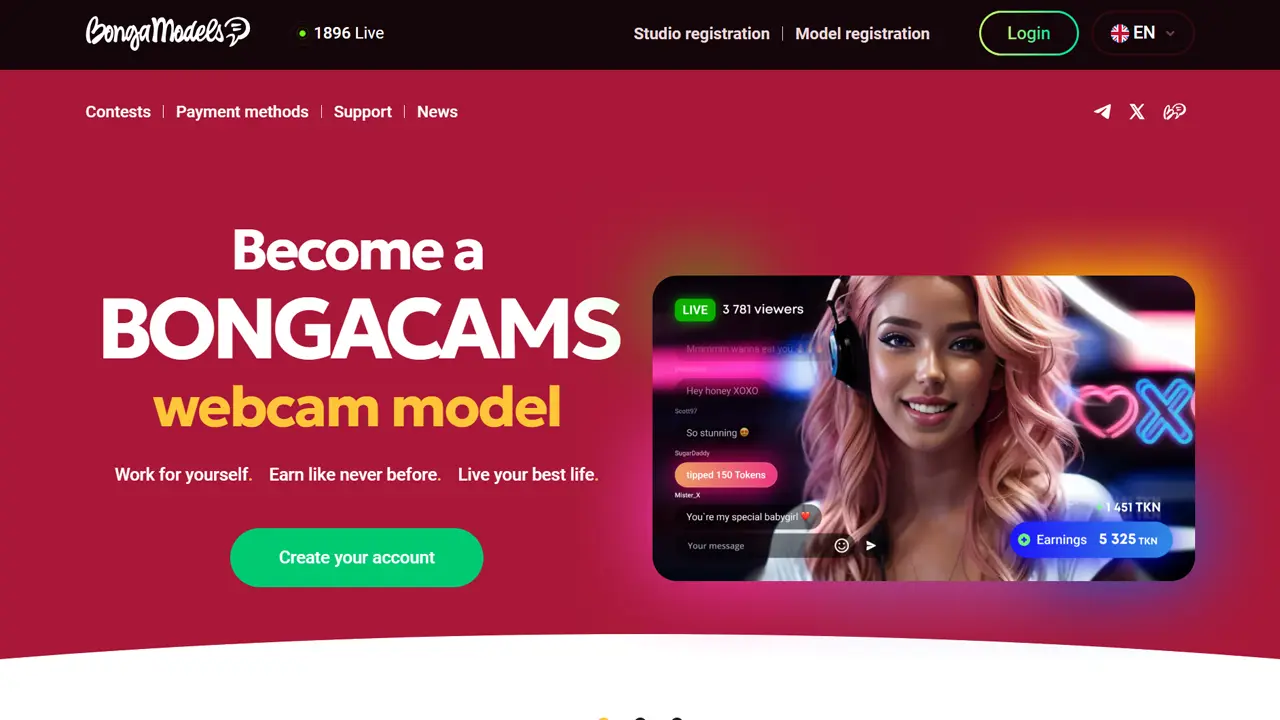
Start with the BongaModels model registration page: BongaCams (BongaModels)
- Open the BongaModels registration page.
- Choose your account type: individual model, couple/group, or studio.
- Create your account with a username, email address, and password.
- Complete ID verification with clear document and face photos.
- Finish your profile, check privacy settings, and add a payout method.
If you are still comparing platforms, start with our main ranking: 12 Best Webcam Sites for Models: Ranked by Viewer Traffic
This page focuses only on BongaCams registration and first setup.
On this page
Before You Sign Up
Before you start, prepare the basics. This makes the registration process easier and helps avoid common delays.
- a secure email address you can access long term;
- a public username or stage name;
- a valid ID document, such as a passport, ID card, or driving license;
- good lighting for document and face photos;
- a payout method that works in your country;
- time to read the Agreement, Privacy Policy, and FAQ before uploading documents.
Do not rush the document step. You are sending personal information to an adult platform, so it is worth checking the official rules and payout options before applying.
Step 1: Open the BongaModels Registration Page
BongaModels is the registration and account area for BongaCams models. The public page includes model registration and studio registration options, plus a login link for existing accounts.
Use the official BongaModels site directly. Be careful with copycat pages, unofficial “manager” links, or pages that ask you to pay just to create a model account. If something looks unusual, check with official support before sending documents.
Step 2: Choose the Right Account Type
The form asks what kind of account you want to create. Choose the option that matches how you actually plan to work.
| Account type | Use this if... | Important check |
|---|---|---|
| Individual model | You plan to stream alone. | Your legal details, ID photos, profile, and payout method should match your account. |
| Couple or group | More than one person may appear on camera. | Every person who appears in adult content must be registered and age-verified. |
| Studio | You manage models through a studio or agency setup. | Check studio rules, payout limits, model verification, and legal responsibility carefully. |
Step 3: Create Your Account
Next, enter your username, email address, password, and password confirmation. Your username is part of your public identity on the platform, so choose something you can keep using.

Use a separate email address for adult creator work if possible. This keeps platform messages, payout emails, and support conversations away from your personal inbox. Choose a strong password and enable any extra security options that are available after registration.
The form also asks you to confirm that you are over 18 or the age of majority in your region. You must also accept the BongaModels Agreement and agree to the Privacy Policy. These documents matter because they explain rules around identity, account use, payouts, privacy, and platform restrictions.
Step 4: Complete ID Verification
After the account step, BongaModels asks you to complete identity verification. This is the most sensitive part of the process because you need to upload personal documents.
The official FAQ describes three main photo requirements:
- Document photo: a clear photo of your ID, driving license, personal identification card, or passport.
- Face photo: a clear photo of your face.
- Face and document photo: a photo of you holding the same ID document near your face.
Use bright light, avoid glare, keep the full document inside the frame, and make sure the text is readable. BongaModels says documents may be rejected if the image is blurry, the document is not fully visible, or the data in your profile does not match the document.
Standard vs Fast Track Registration
BongaModels describes two registration flows: Standard registration and Fast Track registration. The exact availability can depend on your account and verification process, so follow the instructions shown during signup.
| Registration type | What it means | What new models should know |
|---|---|---|
| Standard registration | You complete the required steps and wait for verification. | Do not assume instant approval. Check your email and account area for next steps. |
| Fast Track registration | BongaModels uses automatic identity verification for faster access when successful. | Clear photos and matching details still matter. Failed automatic verification may require extra checks. |
Step 5: Finish Your Profile and Payout Setup
After verification, finish your model profile and payout details. Keep legal and payout information accurate, but be careful with what you put in your public profile.
Your profile can use a stage name and public-facing details. Avoid sharing your real address, private phone number, personal social accounts, workplace, school, or anything that could expose your offline identity.
For payouts, check which methods are available in your country before you start relying on the platform for income. Availability, fees, processing times, and bank compatibility can change.
BongaCams Payout Basics for New Models
BongaModels describes payouts as weekly once the minimum payout amount is reached. Automatic payouts are based on the earnings for a calendar week from Monday to Sunday and are made on Fridays of the following week.
| Topic | What BongaModels says | What to check before relying on it |
|---|---|---|
| Minimum automatic payout | $50 for models and $100 for studios. | Make sure your selected payout method is active before your first payout cycle. |
| Automatic payout timing | Weekly, on Fridays after the Monday-to-Sunday earning period. | Bank, wallet, or processor timing can still affect when funds appear. |
| Early payouts | Available under specific activity conditions after reaching the minimum payout amount. | Check the current activity conditions before assuming early payout eligibility. |
| On-request payouts | Available after previous minimum payout conditions are met, with method-specific limits and fees. | Check minimum and maximum amounts, method availability, and withdrawal fees. |
| Crypto payouts | Available for several cryptocurrencies, with method-specific commissions and network requirements. | Use the exact wallet network requested. A wrong crypto network or wallet address can lead to lost funds with no refund. |
Do not choose a payout method only because it looks fast or private. Check fees, supported countries, minimum amounts, wallet-network requirements, bank compatibility, and tax reporting obligations. For crypto payouts, make sure the wallet network exactly matches the selected currency network.
ID Safety, Privacy and Geo-Blocking
BongaModels says that contact and payment information is hidden from members and available only to administrators. Its Privacy Policy also describes the identity-document photos used to identify the person and confirm age, and says this information is treated as strictly confidential unless disclosure is legally required.
That does not mean there is no privacy risk. You are still creating an account on an adult platform and submitting identity documents. Read the Privacy Policy and Agreement before applying, use a separate creator email, and avoid adding offline identifiers to your public profile.
BongaModels also describes geo-blocking tools that can hide your streams and profile from members in selected countries, states, regions, or cities. Geo-blocking is useful for privacy, but it should not be treated as perfect anonymity. It can reduce visibility in selected locations, but it does not remove all risks from screenshots, recordings, mirrors, search visibility, or people using different locations.
If you plan to stream without showing your face, check the current rules carefully. The official FAQ says models can stream without showing their faces or while wearing a mask, but BongaModels also reserves the right to conduct online verification.
Can You Register or Stream From a Phone?
BongaModels promotes the ability to stream from a phone, and its FAQ describes mobile streaming options after login. For registration, a smartphone can also be useful because it is often easier to take clear ID and face photos with good lighting.
Still, the same rules apply: your photos need to be clear, your documents need to be readable, and your account details need to match your ID.
Model Feedback on Registration and Getting Started
Public model feedback about BongaModels is uneven, and much of the visible discussion is about long-term earnings, traffic, tokens, or general platform experience. For this guide, we focused only on feedback that helps new applicants understand registration, verification, first account setup, first payout setup, privacy, and beginner friction.
These notes are directional. They are not a review score, a guarantee of approval speed, or proof that every model will have the same experience.
ID photos are the main avoidable friction point
Official guidance and public model discussions both point to document-photo quality as an important beginner issue. Use bright lighting, avoid blur and glare, show the whole document, and make sure profile data matches the ID.
Activation time can vary
Some public comments mention quick approval, while others focus on rejected documents or incomplete setup. We would not treat any single comment as a normal timeline. Finish every required step and wait for account confirmation.
Profile and payout details matter before streaming
New models should not stop after creating the login. Complete profile details, email confirmation, payment setup, visibility settings, and account security before relying on the account for regular streaming.
Check visibility controls early
Geo-blocking, public profile fields, message settings, and social links should be reviewed before your first stream. Public feedback in cam-model communities often shows that privacy concerns appear early, not only after a model becomes popular.
Bottom line: Public model feedback is most useful for spotting beginner friction around documents, account activation, payout setup, and privacy checks. It should not be treated as a guarantee of approval speed, earnings, support quality, privacy, or payout experience.
Common Registration Mistakes to Avoid
Uploading blurry ID photos
Take photos in bright light, keep the document flat, avoid cropped edges, and check the image before uploading.
Selecting the wrong setup
Use individual, couple/group, or studio based on who will appear on camera and who will manage the account.
Sharing too much public information
Keep legal details accurate for verification, but do not put real-life contact details or personal identifiers in your public profile.
Ignoring fees and limits
Check minimum payout amounts, fees, supported countries, processing times, and crypto network details before choosing a payout method.
What We Checked for This Guide
We checked the public BongaModels registration form, official FAQ, payment information, privacy information, and public model discussions about registration and first setup. We did not submit personal identity documents or access the verified model dashboard.
This means the guide can explain the public signup flow and the main beginner checks, but it cannot verify private dashboard details, exact approval speed, support response time, or every country-specific payout condition.
FAQ
Is BongaModels the same as BongaCams?
BongaModels is the model-side registration and account area connected to BongaCams. Viewers use BongaCams, while models register and manage creator-side settings through BongaModels.
Can I register as an individual model?
Yes. The public registration form includes an individual model option. It also includes options for couples or groups and studios.
What documents do I need?
The official FAQ says the document step requires a photo of your ID, a face photo, and a photo of you holding your identification document near your face.
Can I work without showing my face?
BongaModels says models can stream without showing their face or while wearing a mask, but it also says the administration may conduct online verification. Check the current rules before relying on this setup.
How often does BongaModels pay models?
BongaModels describes weekly automatic payouts after the minimum payout amount is reached. It also describes early and on-request payout options with specific conditions, limits, and fees.
Is BongaCams model registration free?
The public registration process does not present a signup fee on the official BongaModels registration page. If a third-party page asks you to pay just to create a model account, verify it with official BongaModels support before proceeding.
Should I use my real information?
Your legal, document, and payout information should be accurate and match your ID. Your public profile can use a stage name or username, but verification and payment details need to be real.
Sources
This guide was prepared using official BongaModels information, public registration-flow checks, public model discussions, and Night Analytics editorial review. Platform rules, payout methods, verification steps, tax requirements, and dashboard settings can change, so confirm details directly before registering.
- BongaModels official model registration page
- BongaModels official FAQ
- BongaModels payment methods
- BongaModels Privacy Policy
- Public model discussions from webcam-model communities were used only as directional feedback about registration and first setup, not as a statistical review score.